
What’s due, what’s changed, and how to get from property records to filed reports this season.
Key takeaways
- October 31 is a major reporting deadline for many states. Your due diligence and report prep need to happen now.
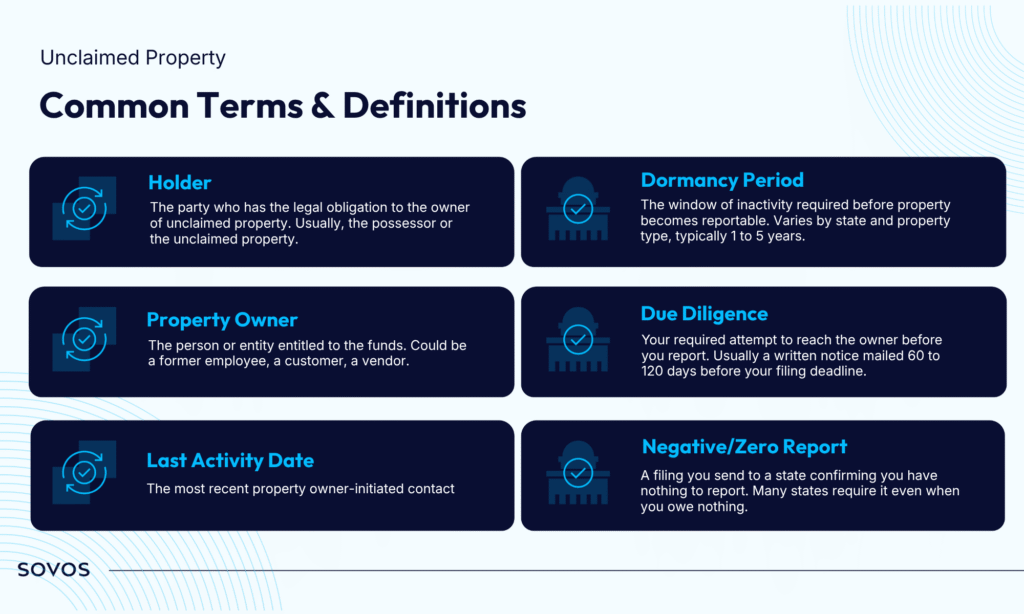
- Dormancy periods vary by state and property type, usually from 1 to 5 years. The owner’s last activity date sets the clock.
- Unreported property has no statute of limitations in most states. Strong records and a clear audit trail are your best protection.
- ReportMyUP takes you from imported records to NAUPA-compliant reports, with direct online filing to 30+ states.
- New tools like Ask Sovi, exemptions management, and custom fields cut down the manual work behind every report.
Unclaimed property touches almost every business. If you issue payments or hold customer credits, you have reporting obligations, even if you’ve never filed before. More than $1 billion in unclaimed property goes to states every year, and each of the 50+ jurisdictions sets its own deadlines, dormancy rules, and letter requirements.
That’s a lot to track, especially for small teams that handle unclaimed property alongside everything else.
On October 7, Taylor Danko, Senior Product Marketing Manager at Sovos, and Casey Zieglmeier, Product Owner for Unclaimed Property at Sovos, hosted Fall Unclaimed Property Reporting: What’s Changed and What’s Due. They covered the basics, the deadlines ahead, and a live walkthrough of ReportMyUP. They also answered a long list of questions from attendees.
Here are five takeaways from the session, plus Casey’s answers to the questions we heard most.
Watch the full webinar recording →
1. October 31 Is a Major Deadline, So Start Now
October 31 is the reporting deadline for a large group of states. That date is fixed, and the work leading up to it takes longer than most teams expect.
Due diligence letters usually need to go out 60 to 120 days before a filing deadline. Then come internal sign-offs, remittance, and final review. When you count backward from October 31, the time to act is right now.
Some states add their own twist. California uses a two-step process: a preliminary report due in October and a final report due in June. Many states also require negative reports, which are $0 filings confirming you have nothing to report.
Casey shared four steps to get ready for state reporting:
- Notify internal stakeholders. Confirm who signs reports, who approves them, how remittance works, and when claim cut-offs happen.
- Review your company information. Make sure the details pulling into your state reports are correct.
- Check your Negative Report Summary. Use your reporting history to confirm which states expect a negative report.
- Preview reports early. Catch issues while you still have time to fix them.
The takeaway: Fall deadlines are close. Map your states, confirm negative report requirements, and preview your reports this week.
2. Dormancy Rules Decide What’s Reportable and When
Unclaimed property is money or assets your business holds that the rightful owner hasn’t claimed. Think uncashed checks, forgotten refunds, unused gift cards, or old account balances. It isn’t a tax. It’s money that belongs to someone else.
Property becomes reportable once it hits its dormancy period. That’s the stretch of inactivity a state requires before you report. Dormancy varies by state and property type, usually from 1 to 5 years.
The clock starts at the last activity date, the most recent contact the owner initiated. During Q&A, Casey explained that updating this date in ReportMyUP recalculates the dormancy due date automatically. If an owner reaches out and resolves the property, the better practice is often to void the record and remove it.
Two more points came up during the session:
- Inactive accounts still need due diligence. Even if mail never comes back, an account that has been inactive for the full dormancy period still requires a due diligence letter.
- Foreign addresses follow the priority rules. If an owner’s last known address is outside the U.S., the property typically goes to your state of incorporation, not the state where the transaction happened.
The takeaway: Track the last activity date for every property. It drives your due dates, your letters, and your reporting.
3. Good Records Are Your Best Protection
Most states take the position that there’s no statute of limitations on unreported property. They expect you to keep 10+ years of documentation.
Missed deadlines can lead to audits, interest, fines, and penalties. Contract auditors often run these audits across multiple states and look back several years at once.
You can reduce that exposure by covering four core holder obligations:
- Identify and track all potentially reportable property, including aged payables, uncashed checks, open credits, and dormant accounts.
- Notify owners with due diligence letters 60 to 120 days before filing.
- File and remit reports and property once dormancy is reached.
- Keep records for every property, letter, and filing.
The takeaway: A clean audit trail is your strongest defense. Keep your records in one place, with timestamps for every letter and report.
4. ReportMyUP Gives You a Clear Path from Records to Filed Reports
During the live demo, Casey walked through how ReportMyUP handles the full reporting process, from import to filing.
Here’s what that looks like:
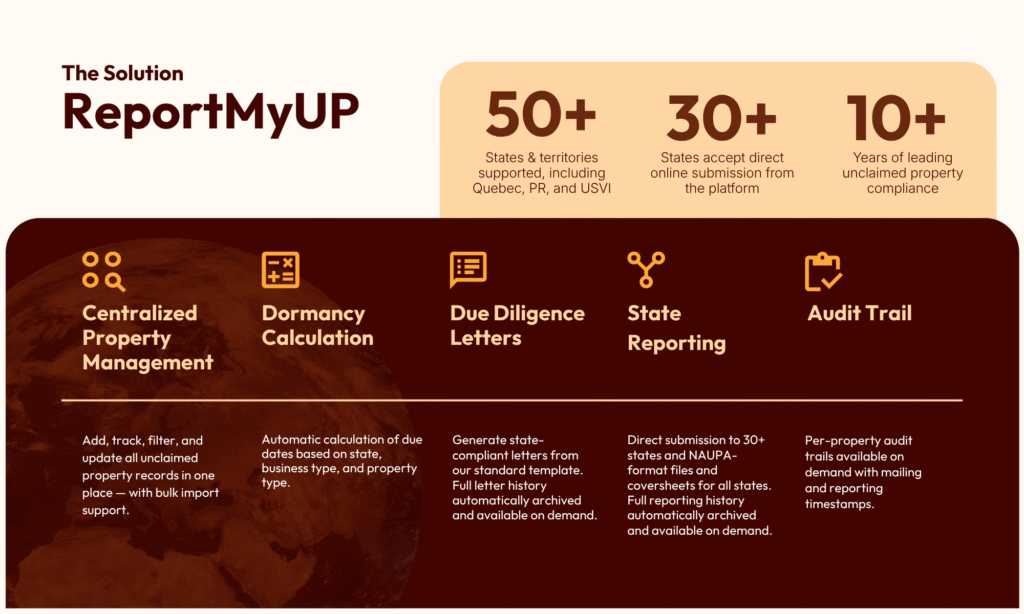
- Import and manage records in one place. Add, track, filter, and update properties, with bulk import support.
- Let the system calculate due dates. ReportMyUP calculates dormancy based on state, business type, property type, and last activity date.
- Generate due diligence letters. Create state-compliant letters from standard templates, with a full letter history saved for each property.
- Preview before you file. Download Excel files showing exactly which properties are included and excluded from each report.
- File directly with 30+ states. Submit online to supported states, or produce NAUPA-format files and coversheets for all 50+ states and territories, including Puerto Rico, the U.S. Virgin Islands, and Quebec.
- Pull an audit trail on demand. See mailing and reporting timestamps for every property.
You can also make bulk updates or deletes using system-generated IDs, which saves time when you’re cleaning up large sets of records.
The takeaway: You don’t need a spreadsheet for every state. Bring your records into one system and follow a clear path from data to filed report.
5. New Tools Cut the Manual Work
Since our last webinar, the team has released features that directly reduce the manual effort behind each report.
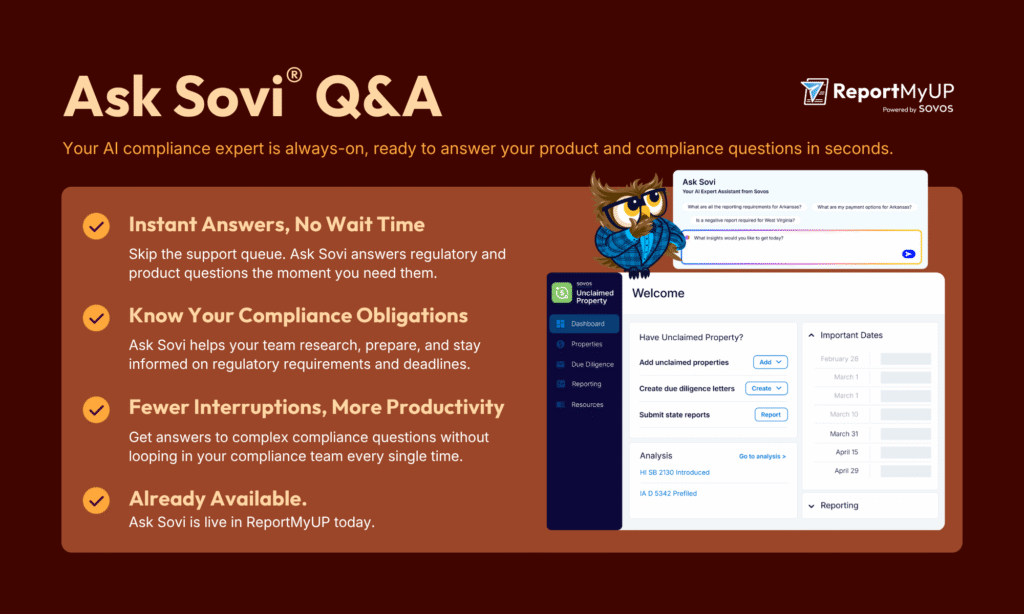
Ask Sovi
Ask Sovi is an AI assistant built into ReportMyUP. Ask it product questions, and it answers in the app. It also surfaces regulatory details like state property codes, dormancy dates, and filing requirements. You get answers without leaving your work.
Exemptions management (ReportMyUP Plus)
Some states exempt certain property types from reporting, like gift cards in Arizona and Alabama. With ReportMyUP Plus, active state exemptions apply automatically and keep exempt property out of your reports. That means you don’t over-report.
Custom fields (ReportMyUP Plus)
Track the details your team needs alongside each property record, without a separate spreadsheet.
The takeaway: The less you track by hand, the fewer errors make it into your reports. Use these tools to answer questions faster and keep your filings accurate.
Get Ready for Fall Reporting with ReportMyUP
Fall reporting comes down to a few clear steps. Know your deadlines. Track dormancy correctly. Send your letters on time. Keep a clean record of everything you file.
ReportMyUP brings those steps into one place, so you’re not juggling state rules and spreadsheets on your own.
Watch the webinar recording to see the full demo and Q&A, or start your free trial to try it with your own data.
Your Questions, Answered by Casey
Attendees asked great questions during the session. Casey answered them in detail afterward. Here are the ones we heard most.
Can I filter by multiple values without entering them one by one?
Yes. ReportMyUP’s quick filters now include “Is Any Of” logic, so you can select multiple states, codes, or statuses at once. This was previously done with commas in UPExchange. The same functionality will expand to all fields with predefined lists in the NAUPA III release next year.
Can I report properties and exclude the ones still in due diligence?
Yes. ReportMyUP lets you create letters and reports at any time. If you can’t wait 60 to 90 days for every property, set a different status on the records you want to hold back. Then create reports for only the properties that are ready.
Why does my Arizona property reset to “Exempt” when I try to file?
That’s the exemptions feature applying an active Arizona exemption. In ReportMyUP Plus, go to Business > Exemptions and deactivate the active exemption for Arizona.
Which state do I report to: the owner’s state or my company’s state?
Report to the owner’s last known address on file with your business. For example, if a customer’s driver’s license shows a Texas address and your company is in Louisiana, report to Texas. Only fall back to your company’s state of incorporation when you have no owner address on file.
I’m coming from UPExchange. How do I start importing?
You have three options:
- Download the new import template.
- Use your old UPExchange template after removing the Federal ID and Business Unit columns.
- Download your migrated properties from the Manage Properties page.
Can I archive old properties a former employee never finished reporting?
It depends on whether the property is still owed. If it is, you remain liable and need to report it. If you’ve determined it’s no longer owed, use Bulk Import to archive it by setting the “Current Or History” column to “H.”
Can I mail due diligence letters from my own office?
Yes. ReportMyUP creates letters but doesn’t print or mail them. You can use the property details for a mail merge in your office and skip the in-app letter step entirely.
Still have a question about your unclaimed property process? Talk to the ReportMyUP team and we’ll help you work through it.